
Thoraipakkam :

+917825888899

Tirunelveli :

+917825888866

Keelkattalai :

+917825888844

Intune Training in Trivandrum

Intune Training in Trivandrum Microsoft Intune is a cloud-based service that helps manage and secure mobile devices, applications, and data across an organization's network.

 Intune Training in Trivandrum Training Image Intune Training in Trivandrum Training Image

How You’ll Learn

Experience an engaging, step-by-step learning journey that blends real-world projects, expert mentorship, and skill assessments for a truly hands-on education.

1

Demo Session

2

Technical Skill Development

3

Communication Skills

4

Live Projects

5

Assessment MCQs

6

Placement Training

  • Resume Building
  • Interview Prep
  • Mock Interviews
  • Portfolio Building
7

Certification

20% Theory80% Practical

Overview

Training

Curriculam

Projects

Certifications

Reviews

Job Supports

FAQ

Intune Training in Trivandrum Course Overview

Join our Intune program to learn how to use Microsoft Intune to automate, deploy, and manage mobile devices, apps, and infrastructure through hands-on labs and real-world projects.

Welcome to the Best Intune Training in Trivandrum

Our Intune course at LearnSoft.org Training in Trivandrum will teach you how to use Microsoft Intune to automate, deploy, and manage security and application policies for devices. This training will help you get ready for a successful career in endpoint management, no matter your experience level.

Our Intune Training in Trivandrum

The Intune course teaches you how to set up, configure, and manage mobile devices and apps on the Azure cloud. You'll learn how to enforce security policies, manage app deployments, and ensure compliance by working on real projects that will prepare you for the job.

Why Choose Us for Intune Certification Training in Trivandrum at Learnsoft.org?

Experienced trainers:

Our trainers have extensive experience with Intune and are passionate about teaching. They want you to succeed.

Comprehensive Training:

Our classes cover everything about Intune, from the basics of managing devices to advanced app security and deployment strategies. You will learn both theory and hands-on skills to implement real-world solutions.

Real-world scenarios:

You will learn to apply Intune in real-world situations through hands-on labs and real-life examples.

Flexible learning options:

We offer Intune classes in person and online Training in Trivandrum. You can choose the option that works best for you.

Get Started with Intune Training in Trivandrum

The Intune course teaches you how to automate, deploy, and manage mobile device security, applications, and infrastructure on the Azure cloud. You'll learn how to configure policies, manage app deployments, and ensure compliance through hands-on projects.

Achieve Our Intune Goals at Learnsoft.org

At Learnsoft.org, the Intune course will teach you how to manage mobile devices, secure applications, and enforce security policies using Microsoft Intune. With real-world projects, you'll learn how to simplify processes, manage policies, and ensure the security of enterprise devices.

Key Highlights of Intune Training in Trivandrum

Flexible Intune training in Trivandrum

Flexible Learning

Learn Intune in Trivandrum at your own pace with our modern, flexible learning model.

Expert Intune trainers in Trivandrum

Expert Trainers

Gain real-world insights from certified trainers with hands-on Intune experience.

Practical Intune classes in Trivandrum

Hands-on Practice

Engage in unlimited practical sessions to strengthen your technical skills.

Intune internship opportunities in Trivandrum

Internship Support

Get valuable industry exposure with our guaranteed internship programs.

Intune career guidance in Trivandrum

Career Guidance

Receive personalized mentoring and interview preparation for career success.

Intune job placement in Trivandrum

Job Assistance

Unlock multiple job opportunities with our placement support network.

Available Intune Training Options in Trivandrum

Week-Days Batch

Start From 08 Dec

11:00 AM - 12:00 PM

IST (GMT +5:30)

Week-End Batch

Start From 13 Dec

09:00 AM - 11:00 AM

IST (GMT +5:30)

Online Clasess

Week Days & Week End

Flexible Timings Available

Global

Corporate Training

Customized Schedule

Flexible Timings Available

On Demand

Learners & counting

Total courses

Languages

Successful students

Flexible,Payment Options for Intune Courses

Transact via fully secured and trusted gateway.

Standard EMI & Installments

Convenient zero or low-cost installments with major financial partners.

UPI & Digital Wallets

Instant payments via Google Pay, Paytm, PhonePe, and major wallets.

Credit/Debit Card Processing

Securely accepts Visa, MasterCard, Amex, and RuPay instantly.

Net Banking (RTGS/NEFT)

Direct and protected transactions through all major Indian bank portals.

Easy Monthly Instalments (EMI)

EMI starting from ₹4,999

  • No-Cost EMI: Available on select credit cards and tenure plans.
  • Instant Enrollment: Access your course immediately, pay in flexible parts.
  • Exclusive Offers: Check for limited-time fee waivers and discounts.

Need help choosing an option?

Call Expert Support: +91 78258 88899

Detailed Intune Course Syllabus

Module 1: An Overview of Endpoint Management

A summary of the ideas behind endpoint management
Architecture of Microsoft Endpoint Manager (Intune + Configuration Manager)
Requirements and licenses
Ways to manage devices (BYOD, corporate, hybrid)

Module 2: Setting up and Configuring Intune

Setting up an Intune tenant
Giving people roles and permissions
Working with Azure AD
Branding and basic settings for tenants

Module 3: Signing Up Devices

Choices for enrollment: Windows, Android, iOS, and macOS
Joining Azure AD automatically signs you up
How to set up Apple DEP and Android Enterprise
Limits on enrollment and devices

Module 4: Profiles for Setting Up Devices

Making and giving out configuration profiles
Templates and security baselines
Custom profiles (settings for OMA-URI)
Resolving policy conflicts

Module 5: Rules for Following the Rules

Making rules for different OS to follow
Integration of conditional access
Keeping an eye on compliance reports
Actions to fix devices that don't comply

Module 6: Managing Applications

How to deploy apps (store, Win32, LOB)
Policies for protecting apps (APP)
Managed the integration of Google Play and VPP
Keeping track of and managing apps

Module 7: Security at the Endpoints

Managing antivirus, firewalls, and encryption
Managing BitLocker and FileVault
Security baselines and devices that make them stronger
Integration with Defender for Endpoint

Module 8: Access with Conditions

An overview of Azure AD Conditional Access
Policies that are based on compliance and user risk
MFA and controls for sessions
Real-life examples of conditional access

Module 9: Keeping an Eye on Things, Making Reports, and Fixing Problems

Reports and analytics from Intune
Logs of device and user activity
Fixing problems with enrollment and policies
Collecting logs and running diagnostics

Module 10: Co-Management and Mixed Scenarios

Co-management of Intune and Configuration Manager
Setting up Windows Autopilot
Moving from on-premises to cloud management
Scenarios with both hybrid identity and device

Module 11: Advanced Topics and Best Practices

RBAC and delegation in Intune
PowerShell and Graph API for automation
Backup, restore, and manage changes
Management of governance, compliance, and the lifecycle
Tools
Skills

These tools will be used and practiced in this course.

  • Microsoft Endpoint ManagerMicrosoft Endpoint Manager
  • IntuneIntune
  • Configuration ManagerConfiguration Manager
  • Azure ADAzure AD
  • Windows AutopilotWindows Autopilot
  • Defender for EndpointDefender for Endpoint

Certification Path For Intune in Trivandrum

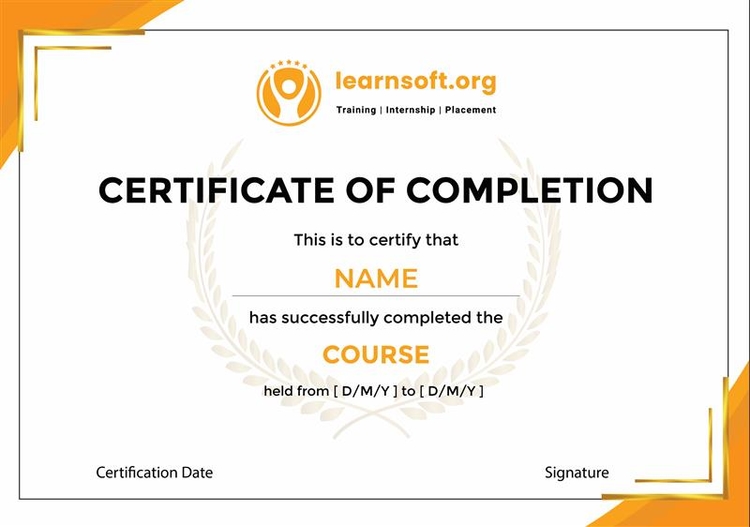
We offer training that is in line with Microsoft Intune certifications that are recognized by the industry. After you finish all the projects and labs, Learnsoft.org will send you your Intune course certificate.

This certificate shows that you have done real-world Intune projects, labs, and hands-on assignments. It shows that you know how to handle devices, apps, security policies, and endpoint management.

Show off your certificate on LinkedIn, GitHub, Twitter, and other sites to demonstrate your Intune skills to employers and colleagues.

Key Highlights
  • This Intune course teaches you how to enroll devices, set compliance policies, and deploy apps in a real-world setting.
  • It gets IT workers ready for jobs like Enterprise Mobility Engineer, Endpoint Manager Specialist, or Intune Administrator.
Intune Certificate Course in TrivandrumIntune Certificate Course in Trivandrum

Hear From Our Students on Intune Training

Real stories, real success — discover how our training helped learners achieve their goals.

Aakash

Intune

The Learnsoft Intune course was even better than I thought it would be!I have gain more knowledge

Rating

Vijay

Intune

learned a lot about device and app management in the Intune course, and I was able to apply those skills to real-world scenarios.

Rating

Abdul

Intune

I highly recommend this course to anyone who wants to work as an Intune.

Rating

Intune Training with Job Support Program

Instant, specialized Tech Job Support tailored for your project or career growth. From beginner to advanced, our structured plans ensure you excel in your role.

Direct Access to Expert Mentors

Connect with approved industry mentors for real-world project guidance. Build the confidence and knowledge needed to master any task.

Guaranteed & Specialized Project Assistance

Receive specialized, guaranteed assistance for any project demand. Acquire practical skills and deep knowledge to accomplish critical tasks worry-free.

Flexible Investment Options:

Pay Per Hour

Pay Per Week

Pay Per Month

Initiate Your Work Support

FAQ’s about Intune Training

What is Microsoft Intune?

Cloud service to manage devices, apps, and data securely.

Who should sign up for the Intune course?

IT pros, admins, and anyone managing devices or apps.

Do I need to have done anything before to take the Intune course?

No prior experience needed; helpful if familiar with IT.

What will the Intune course teach me?

Set up, manage, and secure devices and apps.

What are the most important things about Microsoft Intune?

Manage devices, apps, enforce security, and integrate with Azure AD.

What kinds of devices can I control with Intune?

Smartphones, tablets, laptops, and desktops on Windows, iOS, Android, macOS.